 RSS
RSS Twitter
 Facebook
Recent News
Full Screen Caller Image allows your caller ID screen to show a full
screen picture of your caller. You simply add your existing contacts in
this software and choose any picture for the caller.
Getting Started:
1.) Press the menu button on your phone
2.) Press Add
3.) Choose a contact
4.) Choose a picture for the caller
5.) Finished, now this caller is linked to this picture

DOWNLOAD HERE
Getting Started:
1.) Press the menu button on your phone
2.) Press Add
3.) Choose a contact
4.) Choose a picture for the caller
5.) Finished, now this caller is linked to this picture
DOWNLOAD HERE
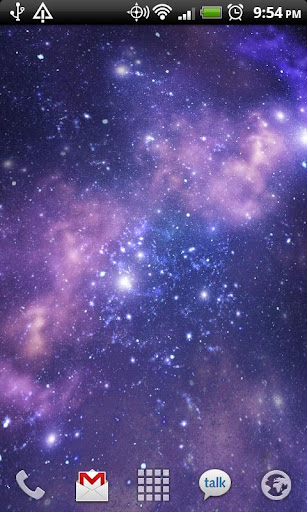
Galactic Core: A stunning live wallpaper featuring a rotating spiral galaxy!
A stunning live wallpaper featuring a rotating spiral galaxy! The perspective shifts as you touch the screen! Rendered in OpenGL, and fully supporting both portrait and landscape views, and both phones and tablets!
If you enjoy this, please donate by buying Galactic Core Donation so we can keep making these! The Donation version has a full settings screen with lots of options, including alternate visual themes, orientation sensor usage, framerate control, rotation and camera speeds, and more!
TO USE: Home->Press Menu->Wallpapers->Live Wallpapers
DOWNLOAD HERE
Snowfall Live Wallpaper: Wintertime on your home screen!
Snowfall is a beautiful live wallpaper featuring gentle snowflakes falling overtop swaying pine trees. Not a movie, with full support for landscape mode and home screen switching!
If you enjoy this, support us by getting the paid version -- it has a full settings screen with lots of options for Christmas lights, time of day, santa sightings, and more!
TO USE: Home->Press Menu->Wallpapers->LiveWallpapers

Amazing Live Wallpaper! Light beams moving on your homescreen!
Lightbeam Live Wallpaper Free brings a unique amazing look to your Android Device.
Hundreds of beams of lights floating on your homescreen with an always changing animation will mesmerize your eyes and relax your mind!
Features:
-Multiple Gradient Color Presets
-Wallpaper Scroll
-ICS ready!
-Tablet ready!
-Hardware Acceleration (almost 0% impact on battery life!)
A lot of more features in PRO VERSION! Color editing, additional color presets, Gradient shape and direction, up to 10 different colors!
Lightbeam Live Wallpaper takes advantage of Mariux Particles Engine 3.0, which is specifically designed for performance and battery life.
Lightbeam LWP uses OpenGL hardware acceleration, and it keeps battery life intact!
It's designed to perfectly work with Tablets with Android 3.0 Honeycomb and with the new devices with Android 4.0 Ice Cream Sandwich!
*REQUIRES ANDROID 2.1 OR ABOVE*
*** HOW TO USE ***
1) Install Lightbeam Live Wallpaper Free
2) Tap on your homescreen -> Live Wallpapers -> Lightbeam Live Wallpaper Free
3) Click Settings if you want to edit Lightbeam Live Wallpaper Free settings
4) Apply Wallpaper!
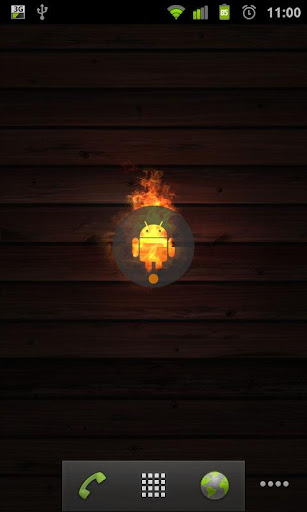
Shows a burning, rolling Droid on Your homescreen!
This Live Wallpaper provides a perfect photorealistic flame and a nice wooden background.
Tested on G1, GalaxyS I & II and Milestone devices
Now also available as customizable Pro version!
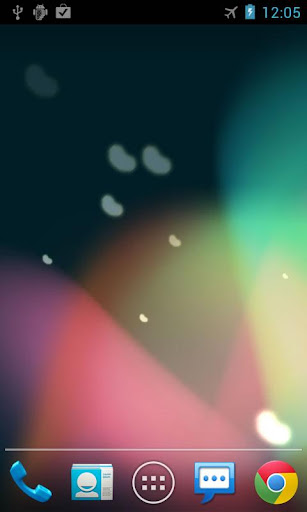
Get new Jelly Bean wallpaper on your devices!
Download the free Jelly Bean (JB) live wallpaperimowane particles. You can also change different type of particles in settings screen.
Now with 5 floating particle types: Capsule, Bean, Beam, Droid and Star!
To use: Home -> Menu -> Wallpapers -> Live Wallpapers
DOWNLOAD HERE
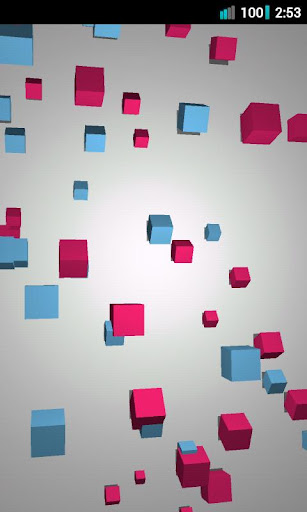
Features:
+ Many options to determine how blocks flip, fade in or out, and what direction they travel!
+ Change how many blocks you want and how their sizes vary!
+ Control colors, lighting, and viewpoint positioning!
+ Choose from several built-in themes to see a variety of configurations!
+ Take screen shots of your creations and share them with your friends!
+ Use the Randomize feature to come up with an infinite number of new themes!
* To enable more configuration features and save your themes, download Exodus Pro!
If you like to change settings a lot, be sure to add the Exodus settings widget to your home screen (Home > Menu > Add > Widgets > Exodus).
SD card permission required for screenshot saving.
"Move to SD card" is enabled on Froyo (2.2) and up. Please note that if you use this feature for any live wallpaper, it will be disabled if you reboot or unmount your SD card. In this case, you will have to reselect Exodus for your live wallpaper. Widgets will also be disabled if you move to SD card.
DOWNLOAD HERE FOR FREE
